Testing🔗
To test BIBSNet to ensure it's working as expected, please do the following:
Download Test Data🔗
Install openneuro-py on the command line (e.g. pip install openneuro-py) and use it to download test data from OpenNeuro, e.g.:
# Python
from pathlib import Path
import openneuro

Path("./ds004776").mkdir()
openneuro.download(dataset="ds004776", target_dir="./ds004776", include="sub-01")
Execute BIBSNet🔗
If you haven't already, build the BIBSNet container locally as described here and execute with the test data, e.g.:
# bash

mkdir derivatives

singularity run --nv --cleanenv --no-home \
    -B /path/to/ds004776:/input \
    -B /path/to/derivatives:/output \
    /path/to/bibsnet.sif \
    /input /output participant \
    -participant 01 \
Confirm Successful Execution🔗
The logs outputs will indicate whether the application ran successfully or not like so:
# Successful log output:
The pipeline took this long to run successfully: <time>

# Unsuccessful log output:
The pipeline took this long to run and then crashed: <time>
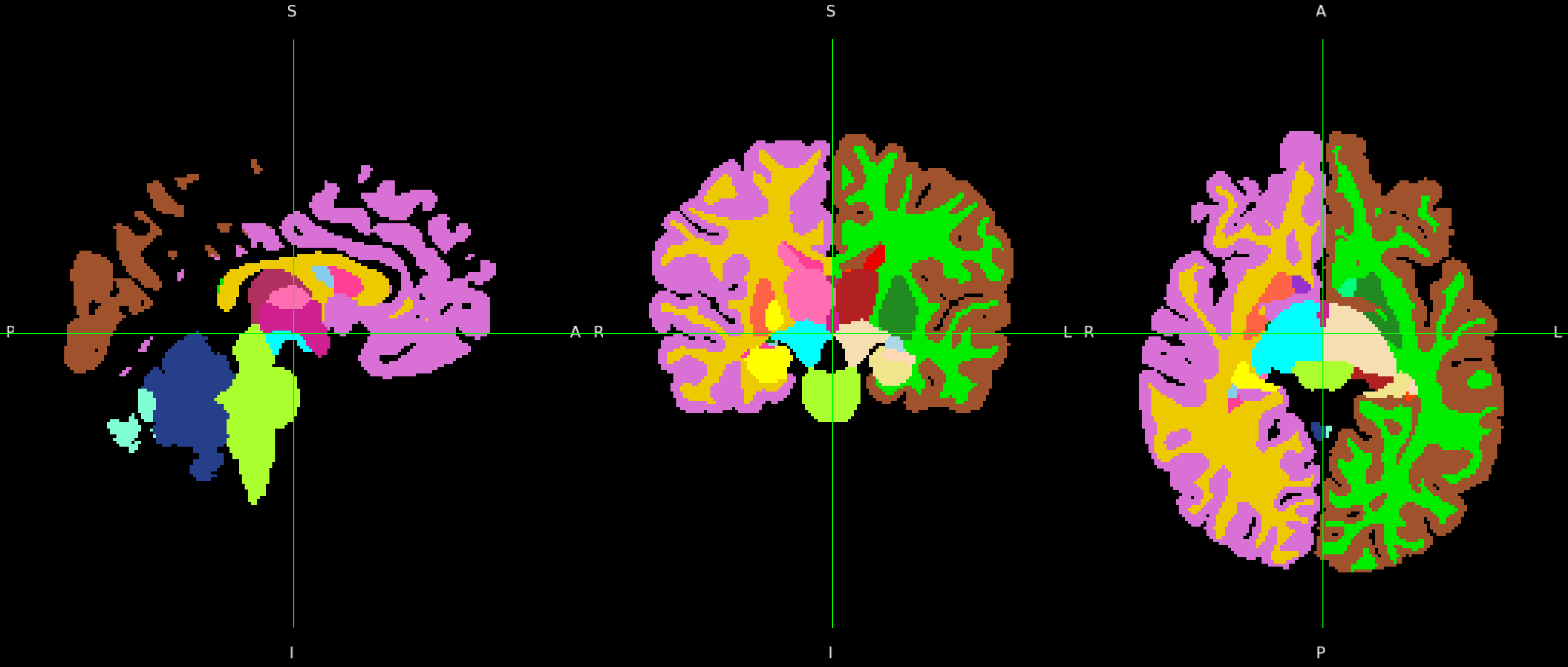
If it was successful, you should also see all of the expected outputs produced (see Outputs). For good measure, visually inspect the segmentation generated. Here is a snapshot view of the brain segmentation generated by this test subject: